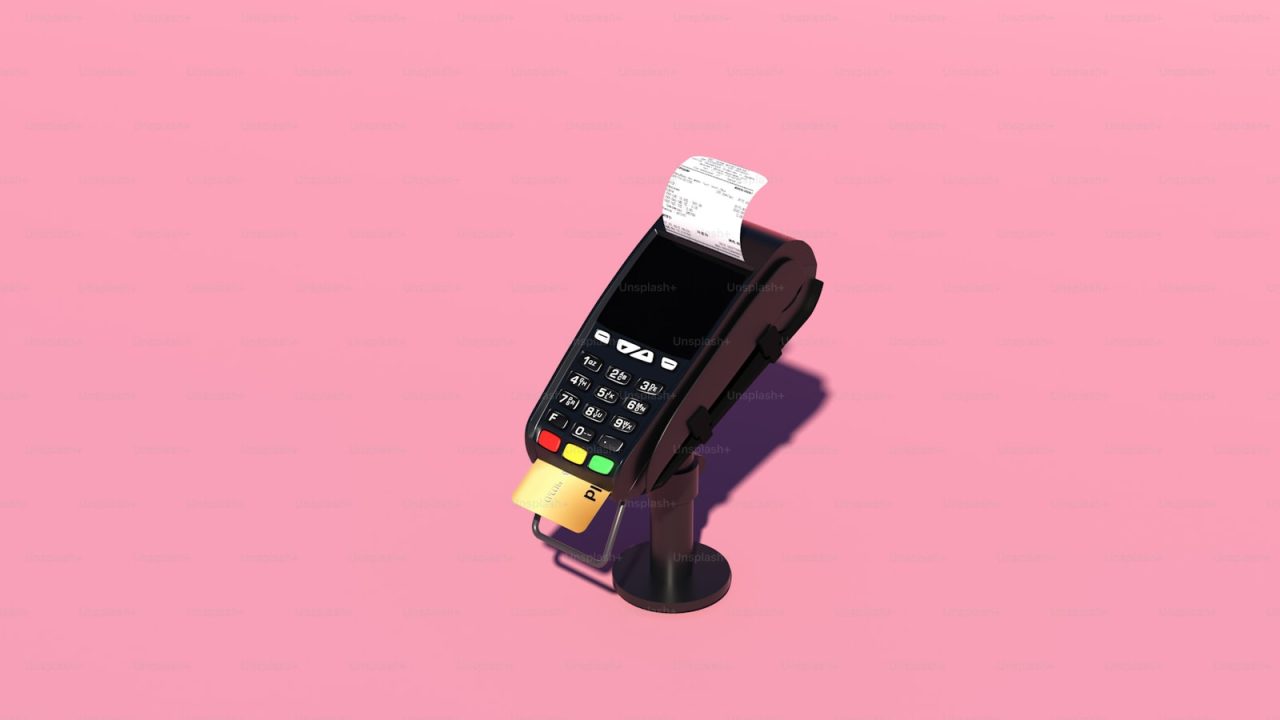

A point-of-sale (POS) system is the hardware and software a business uses to accept payments, record sales, manage inventory, and run day-to-day operations at the counter, the table, or the field. The best POS system for a small business is the one that matches your sales volume, your industry workflow, and your processing cost structure, not the one with the longest feature list. ProTech Payments, based in Katy, Texas, helps small businesses across Houston, Fort Bend County, and the wider Texas market pick, deploy, and optimize POS systems so the monthly statement stays predictable and the hardware actually fits how the staff works.
Most small business owners overpay because they evaluate POS systems on sticker price alone. A $0 terminal can carry a 3.5% effective rate, while a $1,200 Clover station paired with interchange-plus pricing can settle under 2.3% all-in. Across a business doing $40,000 a month in card volume, that gap is roughly $480 every month, or $5,760 a year. The hardware decision and the processing decision are linked, and treating them separately is the single most common money leak in retail and restaurant operations.
This guide breaks down how POS systems work, what they cost, which systems fit which verticals, and how Texas businesses can use programs like dual pricing and cash discounting to move card fees off the bottom line. ProTech Payments provides a free statement analysis that reads your current rates line by line before you commit to any system.
What a POS system actually does
A modern POS system is three things bundled together: a payment acceptance device, an operating application, and a back-office data layer. The payment side handles EMV chip cards, contactless taps, and magnetic stripe fallback. The application rings up items, applies tax, splits checks, and prints or emails receipts. The data layer tracks inventory counts, employee hours, and sales reports you can pull from your phone.
Hardware tiers
POS hardware ranges from a smartphone card reader to a full countertop station with a customer-facing display. The most common small business platforms are Clover Station and Clover Mini (built on Fiserv, formerly First Data, infrastructure), Square Register, and Android-based smart terminals. A mobile-only operation may need nothing more than a tap-to-pay phone setup, which ProTech covers under mobile payments.
Software and integrations
The software is where a POS earns or loses its value. Good systems sync with accounting tools, online ordering, and a payment gateway so in-store and online sales report into one ledger. If you sell both at a counter and on a website, integrated online payments prevent the double-entry bookkeeping that eats hours every week.
How a POS transaction works
Every card sale moves through the same five-step chain in under two seconds. Understanding the chain explains where your fees come from and why some pricing models cost more than others.
First, the cardholder dips, taps, or swipes at the terminal, and the POS captures the card data through EMV or NFC. Second, the data routes to the acquiring processor, which forwards an authorization request to the card network (Visa, Mastercard, Discover, American Express). Third, the network asks the issuing bank whether funds are available. Fourth, the issuer approves or declines and sends the answer back down the chain. Fifth, the batch settles, usually overnight, and funds land in your bank account.
The cost of that round trip is mostly interchange, the wholesale fee the issuing bank keeps. Interchange is set by Visa and Mastercard and is non-negotiable, but the markup your processor adds on top of interchange is fully negotiable. The Durbin Amendment capped debit interchange for large issuing banks at roughly 0.05% plus 21 cents, which is why debit-heavy businesses benefit from pricing that passes interchange through transparently. ProTech’s guide to how credit card payments work walks through each step in detail.
What a POS system costs
POS cost has two parts: the hardware and the processing rate. Both matter, but the processing rate compounds every single month, so it usually dominates the total cost of ownership.
Hardware and software fees
| Cost item | Typical range | Notes |
|---|---|---|
| Mobile card reader | $0 to $59 | Tap-to-pay phone or small Bluetooth reader |
| Countertop terminal (EMV/NFC) | $199 to $450 | Verifone, PAX, or Clover Mini |
| Full POS station | $799 to $1,799 | Clover Station, customer display, cash drawer |
| Software subscription | $0 to $165/month | Tiered by features (inventory, payroll, online ordering) |
| Receipt printer / scanner | $150 to $400 | Per added peripheral |
Processing pricing models
The pricing model decides your effective rate more than any single fee. Flat-rate platforms like Square charge a uniform 2.6% plus 10 cents in person, simple but expensive at volume. Interchange-plus pricing charges interchange plus a fixed markup (for example interchange plus 0.30% and 10 cents), which is transparent and almost always cheaper above $15,000 a month in volume. Tiered pricing buckets transactions into qualified and non-qualified rates and tends to hide margin, so it is the model to avoid.
For Texas merchants, the cheapest model is often no card fee at all. A dual pricing program posts a cash price and a card price, moving the processing cost to the customer who chooses to pay by card. Run your own numbers with the dual pricing savings calculator before deciding.
Best POS systems by business type
The right POS depends on workflow, not brand loyalty. A restaurant needs table maps and course firing; a retailer needs barcode scanning and stock counts; a service business needs invoicing and recurring billing.
Restaurants and bars
Restaurants need a POS that handles tip adjustment, check splitting, course timing, and online ordering. Clover and Toast-class systems dominate here. ProTech configures restaurant merchant services with kitchen display integration, and the best restaurant POS system breakdown compares the leading options for full-service and quick-service formats.
Retail and convenience
Retail needs fast barcode scanning, multi-location inventory sync, and gift card support. Look at the best retail POS system guide for feature-by-feature comparisons, then pair it with retail merchant services and a gift card and loyalty program to lift repeat visits.
Service and field businesses
Auto repair shops, salons, home-service contractors, and professional firms invoice rather than scan. These businesses lean on a virtual terminal to key transactions over the phone and on recurring billing for memberships and service plans. ProTech tailors POS and payments for auto repair, salon and spa, and home services operations.
Cloud POS vs legacy terminals
The split between cloud POS systems and standalone legacy terminals is the most important architecture choice a small business makes.
Cloud POS
Cloud systems (Clover, Square, and similar) store data on remote servers, update automatically, and let you pull reports from anywhere. They cost more upfront and carry software subscriptions, but they replace a stack of separate tools (inventory software, scheduling, reporting) with one platform. For a growing business, a cloud point-of-sale system pays back the subscription in saved labor.
Standalone terminals
A standalone EMV terminal just accepts payments. It is cheap, reliable, and ideal for a low-volume business or one that already runs separate inventory software. If you only need to take a card and print a receipt, a in-store payments terminal keeps costs minimal and PCI scope small.
| Factor | Cloud POS | Standalone terminal |
|---|---|---|
| Upfront cost | $799 to $1,799 | $199 to $450 |
| Monthly software | $0 to $165 | $0 |
| Inventory tracking | Built in | Separate tool needed |
| Best fit | Retail, restaurant, multi-location | Low volume, single counter |
| Reporting | Cloud dashboard | Batch totals only |
Common POS buying mistakes
Small businesses lose money on POS decisions in predictable ways. Each mistake below is avoidable with the right diligence before signing.
Signing a long equipment lease
Leasing a $400 terminal over 48 months at $59 a month means paying $2,832 for hardware worth $400. Buy outright or use a transparent equipment financing arrangement instead of a non-cancellable lease.
Ignoring the effective rate
Owners fixate on the advertised rate and ignore the effective rate, which is total monthly fees divided by total volume. Tiered pricing and padded assessment fees push the effective rate well above the headline number. A free statement analysis surfaces the real number in minutes.
Skipping PCI compliance
Storing card data on an unsecured system invites fines and breach liability. A compliant POS tokenizes card data so it never sits on your hardware. ProTech includes PCI compliance support, and the PCI compliance for small business guide explains the self-assessment questionnaire most merchants must file annually.
Underplanning for chargebacks
Card-not-present and high-ticket sales attract disputes. Without chargeback management, a handful of disputes can freeze cash flow and trigger reserve holds.
POS systems for Katy and Houston businesses
Texas merchants have a structural advantage other states do not: state law permits surcharging and dual pricing within clear rules, so card fees can legally move off the business. ProTech Payments is based at 25140 Kingsland Blvd STE 180 in Katy and works hands-on with businesses across the Houston metro.
A Katy restaurant or a Houston retailer on a flat-rate platform is almost always overpaying. Switching to interchange-plus or a compliant dual pricing program, paired with the right POS hardware, often cuts effective cost by 1% or more of volume. ProTech serves Katy, Houston, Sugar Land, and Cypress with local install and same-week onboarding.
Before any switch, confirm the program is structured correctly under Texas rules. The card networks require clear signage and a posted cash-versus-card price, and ProTech sets up the disclosure so the program holds up to a Visa or Mastercard review. Start with a full merchant services review to map hardware, pricing, and compliance together.
Frequently asked questions
What is the best POS system for a small business in Texas?
There is no single best system; the best fit depends on whether you run a restaurant, a retail store, or a service business, and on your monthly card volume. Clover suits most counter and table-service businesses, while a virtual terminal fits invoice-based service firms. ProTech matches the hardware to your workflow and pairs it with the lowest-cost pricing model for your volume.
How much does a POS system cost per month?
Hardware runs from $0 for a mobile reader to about $1,799 for a full station, and software subscriptions range from free to roughly $165 a month. The larger ongoing cost is processing, typically 2.3% to 3.5% of volume depending on the pricing model. A dual pricing program can reduce the card processing cost to near zero for the business.
Is Square or Clover better for small business?
Square is simpler to start and uses flat-rate pricing, which is fine at low volume but expensive above roughly $15,000 a month. Clover offers deeper inventory and restaurant features and pairs with interchange-plus pricing that costs less at volume. Our Clover vs Square comparison breaks down the tradeoffs by feature and cost.
Can a POS system lower my credit card fees?
The POS hardware itself does not lower fees, but the processor and pricing model behind it do. Moving from tiered or flat-rate pricing to interchange-plus, or adopting a Texas dual pricing program, is what cuts the bill. ProTech’s free statement analysis shows the exact savings before you switch.
Do I need PCI compliance with a POS system?
Yes. Every business that accepts cards must meet PCI DSS standards, and most file an annual self-assessment questionnaire. A modern POS tokenizes card data to shrink your PCI scope, and ProTech provides the compliance support to keep you covered.
Talk to ProTech Payments
Pick the POS system after you know your real processing cost, not before. ProTech Payments will read your current statement line by line and quote the hardware and pricing that actually fit your Katy or Houston business.
Start with a free statement analysis to see your true effective rate, then get started when you are ready to deploy. You can also contact the ProTech team directly to talk through hardware options for your specific industry.