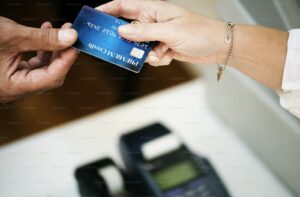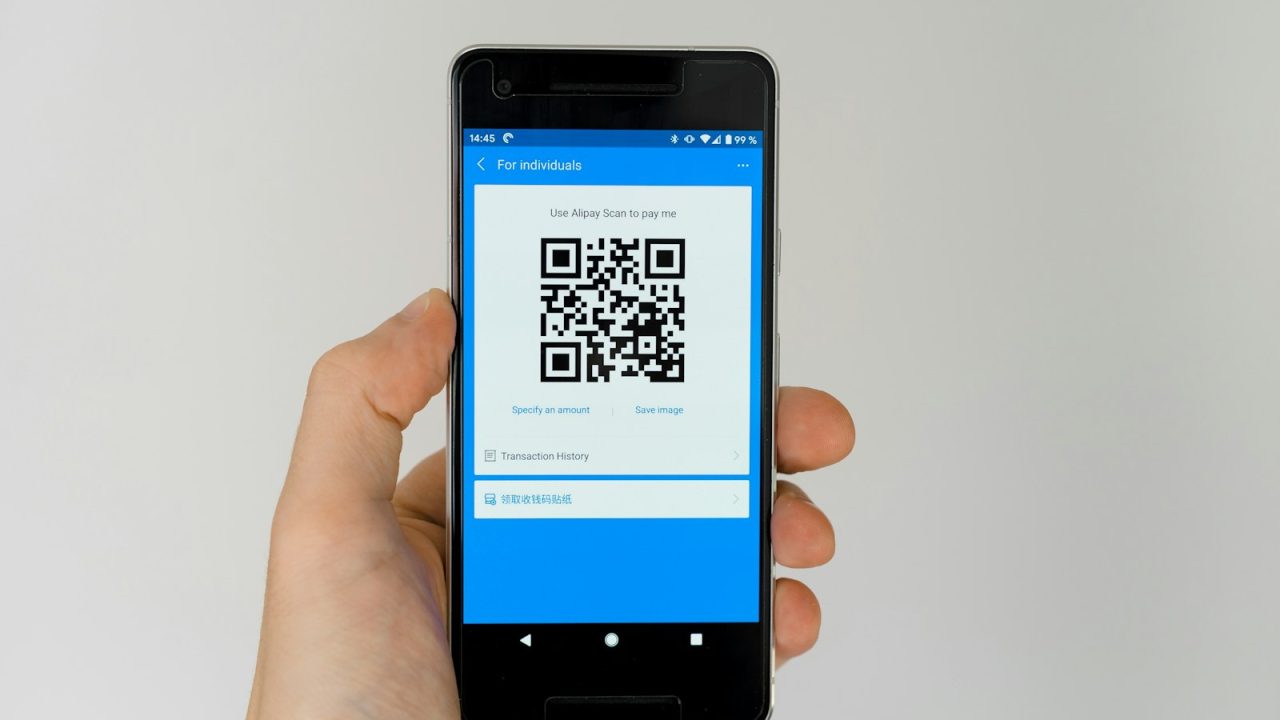

QR code payments let a customer pay by scanning a square barcode with a phone camera, which opens a wallet or a checkout page and authorizes the transaction without tapping a physical card or terminal. The code encodes the merchant identity and (in dynamic versions) the exact amount, so the customer confirms inside an app like Apple Pay, Google Pay, PayPal, or a bank wallet. ProTech Payments sets up QR code acceptance for businesses across Katy, Houston, Sugar Land, and Fort Bend County, pairing it with the same Visa and Mastercard rails that already power your card terminal so settlement and reporting stay in one place.
For a Texas merchant deciding whether to add QR codes, the practical questions are cost, speed at the counter, and fraud exposure. A QR transaction usually rides the same interchange schedule as a card-not-present or contactless card payment, so the processing rate is comparable to tap-to-pay rather than free. The real wins are hardware savings (a printed code costs cents versus a $300 terminal), faster table-side and curbside checkout, and a clean path to combine QR with a dual pricing or cash discount program that shifts the card fee to the customer who chooses to pay by card.
This guide covers what QR payments are, how they move money, what they cost, how to deploy them by vertical, how they compare to NFC tap and traditional terminals, the mistakes that cost merchants money, and the Texas-specific rules that decide whether you can pass the fee along.
What QR code payments are
A QR (Quick Response) code is a two-dimensional barcode that stores data the phone reads instantly. In payments, that data points either to a hosted checkout page or to a wallet-to-wallet instruction. The customer scans, the phone resolves the code, and the payment is authorized through the customer’s stored card, bank account, or wallet balance.
Static versus dynamic codes
A static QR code holds a fixed value: usually the merchant identifier or a link to a payment page. It never changes, so you can print it on a sticker, a tent card, or an invoice. The customer types the amount, which makes static codes cheap but slower and easier to mis-key.
A dynamic QR code is generated per transaction and carries the exact amount, an order number, and sometimes tax. Your point of sale or payment gateway creates it on the fly, the customer scans, and the amount is locked. Dynamic codes reduce errors and reconcile cleanly, which is why most card-brand QR specifications (Visa, Mastercard, EMVCo) are built around them.
Merchant-presented versus consumer-presented
Merchant-presented means you show the code and the customer scans it. Consumer-presented means the customer shows a code from their wallet app and your scanner reads it, the model common in transit and high-volume retail. US deployments lean merchant-presented because it needs no extra hardware beyond a printed code or a screen.
How a QR payment moves money
A QR payment follows the same four-party model as any card transaction: cardholder, merchant, acquirer/processor, and card network. The QR code is just the capture method that replaces the card swipe or tap.
The authorization flow
The customer scans the code, which loads a checkout secured by your gateway. Their wallet supplies a tokenized card number, the request hits the network (Visa, Mastercard, Discover, or Amex), the issuing bank approves or declines, and the response returns to your POS in two to three seconds. The funds then clear and settle through your merchant account, typically next business day with ProTech Payments. If you want the mechanics of the underlying card leg, our explainer on how credit card payments work walks through each hop.
Tokenization and EMV-grade security
Wallet-based QR payments pass a token, not the real 16-digit PAN, so a leaked code or screenshot exposes nothing reusable. This is the same tokenization that protects EMV contactless cards, and it is one reason QR sits in a lower fraud tier than keyed card-not-present entry. The transaction still falls under PCI DSS scope, but hosted QR checkouts keep card data off your systems, which shrinks your compliance burden.
Where the gateway fits
The code has to point somewhere. That somewhere is a payment gateway that renders the checkout, tokenizes the card, and routes the authorization. ProTech configures the gateway behind your QR codes whether you run online payments, a virtual terminal for invoices, or an in-person point-of-sale system that prints a dynamic code on the receipt.
What QR code payments cost
QR payments are not free to accept. They settle over card networks, so interchange, network assessments, and your processor’s margin still apply. What changes is the hardware cost and, often, the pricing model you choose.
The fee stack
Every card-funded QR payment carries three layers: interchange set by Visa and Mastercard, network assessments (roughly 0.13 to 0.15 percent), and your processor markup. A wallet-funded QR transaction is usually rated as contactless or card-not-present. For a full breakdown of the base layer, see our guide to interchange fees.
| Cost factor | QR code (wallet) | Tap-to-pay card | Keyed card-not-present |
|---|---|---|---|
| Typical effective rate | 2.3% to 2.9% | 2.3% to 2.9% | 3.0% to 3.5% |
| Hardware cost | $0 to $50 (sticker or screen) | $200 to $500 (NFC terminal) | $0 (manual entry) |
| Fraud/chargeback risk | Low (tokenized) | Low (tokenized) | Higher |
| Settlement | Next business day | Next business day | Next business day |
| PCI scope | Reduced (hosted) | Reduced | Full if storing data |
Pricing models
You can take QR payments on interchange-plus, on flat-rate, or inside a fee-offset program. Interchange-plus, explained in our interchange-plus pricing post, exposes the true network cost and a fixed markup, which favors merchants doing real volume. A fee-offset model adds the card fee at checkout so the customer who pays by card covers it, which works cleanly with QR because the amount is computed before the code renders. Run your own numbers with the credit card processing fee calculator or the dual pricing savings calculator.
Hardware savings
The clearest QR advantage is hardware. A static code printed on a counter card costs pennies. A dynamic code shows on a screen you already own. Compare that to financing a fleet of terminals through equipment financing, and QR becomes the cheapest entry point to accepting digital payments, especially for pop-ups, markets, and mobile crews.
QR payments by business type
QR codes fit different verticals in different ways. The deployment that wins at a restaurant table fails at a service truck, so match the model to the floor.
Restaurants and cafes
Print a dynamic QR on the check or place a code on each table that opens an order-and-pay page. Guests pay and tip without waiting for the server to return a terminal, which turns tables faster. Pair it with a fixed terminal for walk-ups. ProTech builds this into restaurant merchant services, and our restaurant POS guide covers the hardware side.
Retail and quick service
At the register, a dynamic code on the customer-facing screen lets shoppers pay from their own phone, useful when lines back up or a terminal goes down. This slots into retail merchant services and works alongside in-store payments on your existing POS.
Service and mobile businesses
Auto repair shops, salons, and home-services crews can text or email a dynamic QR after the job, or print one on the work order. The customer pays on the spot from the driveway or the chair. This is the same pattern behind mobile payments and pairs well with home services merchant services and auto repair merchant services.
Invoicing and B2B
For larger or recurring bills, embed a QR on the invoice that opens a hosted checkout, which beats mailing a paper remittance. Combine it with ACH and eCheck processing to give buyers a lower-cost bank option, a tactic detailed in our B2B payment processing guide.
QR versus NFC tap versus card terminal
QR, NFC tap, and the traditional terminal all accept the same cards. They differ in hardware, customer behavior, and where they break.
Speed and friction
NFC tap is the fastest: hold the phone or card near the reader, done in under a second. QR adds a step, the scan, but needs no contactless hardware on your side. A chip-insert terminal is slowest because the card stays inserted through authorization.
Hardware and resilience
A QR sticker has no electronics to fail and no battery to die. An NFC terminal needs power, connectivity, and periodic replacement. The trade-off is that QR depends on the customer’s phone and data signal, while a terminal works for anyone with a physical card. Most Katy and Houston merchants run QR as a complement, not a replacement, so a dead phone or weak signal never blocks a sale.
When each wins
| Scenario | Best fit | Why |
|---|---|---|
| Fast retail line | NFC tap | Sub-second, no app open |
| Table-side dining | QR (dynamic) | Customer pays and tips unassisted |
| Field service / curbside | QR sent by text | No terminal to carry |
| Older or cash-heavy clientele | Card terminal | Works without a smartphone |
| Pop-up or market booth | QR static | Zero hardware cost |
For a deeper read on the tap side, see our contactless payments guide.
Common QR payment mistakes
QR is simple to start and easy to misuse. A few errors quietly cost merchants money or sales.
Relying on static codes for variable amounts
Static codes force the customer to type the total, which invites typos and underpayment. Use dynamic codes generated by your POS or gateway for anything that is not a fixed price.
Skipping signage and trust cues
A bare QR sticker with no branding is a known fraud target: criminals paste their own code over yours. Frame the code with your logo, the business name, and the amount, and check placement daily. Tamper-evident labels help.
Treating QR as fee-free
Some merchants assume QR avoids card fees. Wallet-funded QR still settles over Visa and Mastercard at card rates. If you want the customer to absorb that cost, you need a compliant cash discount or dual pricing setup, not a hope that the fee disappears.
Ignoring reconciliation
If your QR checkout sits outside your main merchant account, you get two reports to reconcile and two deposit timelines. Keep QR inside one merchant services account so settlement, chargeback management, and reporting stay unified.
QR payments and Texas surcharge rules
Texas merchants can pass card costs to customers, but the method and the disclosure matter. This is where QR, dual pricing, and surcharging intersect, and getting it wrong invites brand fines or customer disputes.
Surcharge versus cash discount
A surcharge adds a fee on top of the listed price for credit card payments and is capped and rule-bound by Visa and Mastercard. A cash discount lowers the price for cash or bank-funded payments. Both can be presented through a QR checkout, because a dynamic code can compute either before it renders. Texas allows credit card surcharging within the card-brand rules, and our credit card surcharge laws in Texas post lays out the specifics.
Disclosure done right
The customer must see the fee or the dual price before they commit. A dynamic QR checkout makes this clean: the page shows the card price and the cash price, the customer picks, and the amount is locked. For the legal grounding, read our dual pricing legal in Texas guide, and estimate the impact with the Texas surcharge calculator.
Local setup
ProTech configures compliant QR-plus-dual-pricing for businesses in Katy, Houston, and Sugar Land, including signage and gateway disclosure language so you stay inside Visa, Mastercard, and Texas requirements.
Frequently asked questions
Are QR code payments free for businesses?
No. A QR payment funded by a card settles over Visa or Mastercard and carries interchange, network assessments, and a processor markup, usually rating like a contactless or card-not-present transaction. The hardware can be free, but the processing fee is not. To shift the card fee to the customer, you need a compliant cash discount or dual pricing program.
Is QR payment safe against fraud?
Wallet-based QR payments pass a tokenized card number, not the real card data, so a copied code cannot be reused for purchases. The main risk is physical tampering, where a thief covers your code with their own. Branded signage, tamper-evident labels, and dynamic codes that show the amount and merchant name protect against that.
Do I need special hardware for QR payments?
Usually not. A static code can be printed on a sticker or card, and a dynamic code can display on a screen you already have, like a tablet POS or a phone. You only need a scanner if you use consumer-presented codes where you read the customer’s wallet, which is less common in US retail.
What is the difference between a static and dynamic QR code?
A static code is fixed and reused, so the customer types the amount, which is cheap but error-prone. A dynamic code is generated per sale with the exact amount and order details baked in, so the customer just confirms. Dynamic codes reconcile cleanly and are the standard for anything other than a single fixed price.
Can QR payments work with my existing POS?
Yes in most cases. ProTech connects QR acceptance to your existing point-of-sale and gateway so QR sales land in the same merchant account as your card transactions. That keeps settlement, reporting, and chargeback handling in one system instead of two.
Talk to ProTech Payments
QR codes are a low-cost way to add digital payment options without buying more terminals, but the value depends on dynamic codes, unified reconciliation, and a compliant fee strategy. ProTech Payments sets all three up for businesses across Katy, Houston, and Fort Bend County.
Start with a free statement analysis so we can show what your current processing actually costs and where QR plus dual pricing would save you money, then get started when you are ready to deploy. Questions first? Reach our Katy team through the contact page.