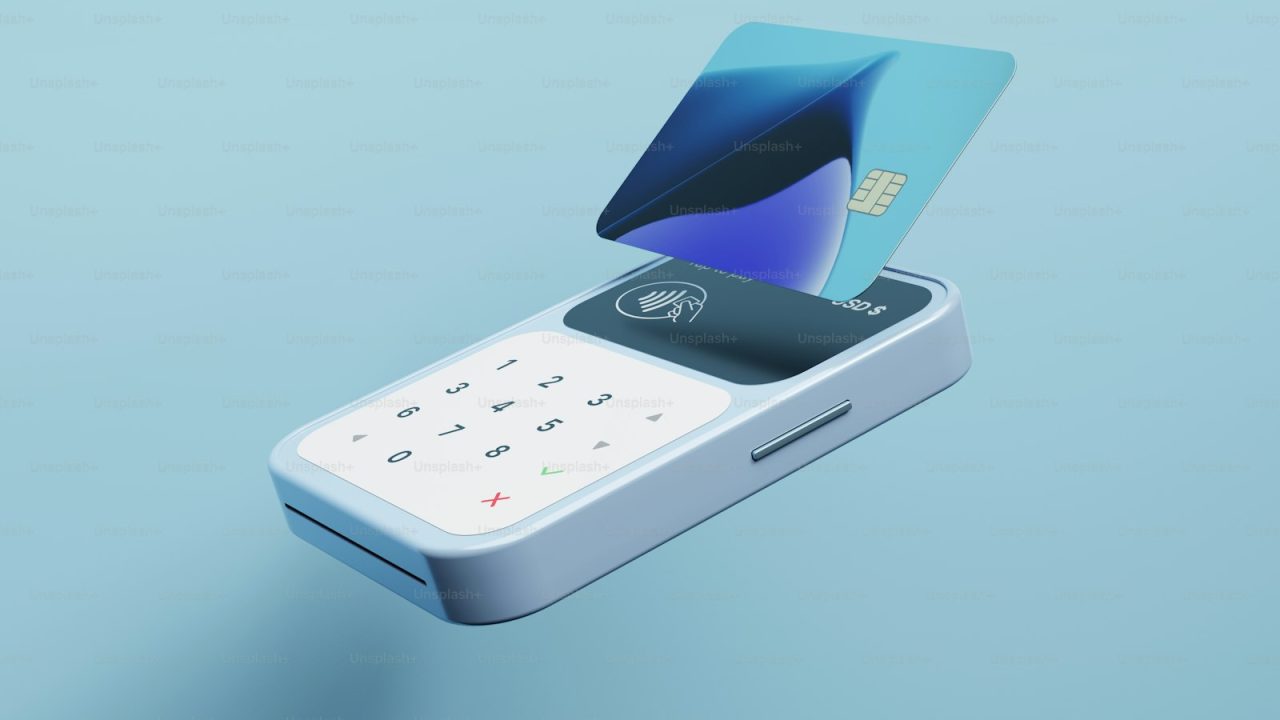

Mobile credit card processing is the acceptance of card and digital wallet payments from a smartphone or tablet paired with a card reader, instead of a fixed countertop terminal. It lets a food truck operator in Katy, a mobile mechanic in Houston, or an HVAC technician in Fort Bend County run a Visa, Mastercard, American Express, or Discover transaction wherever the customer happens to be standing. ProTech Payments, based at 25140 Kingsland Blvd in Katy, Texas, sets up mobile processing for businesses across Houston, Sugar Land, Cypress, and the wider Texas market that need to charge cards in the field rather than at a register.
The economics matter as much as the convenience. A mobile setup removes the cost of a dedicated POS station (often $600 to $1,500 in hardware) and replaces it with a reader that can cost $0 to $99. With the right pricing model, a service business closing $40,000 a month in card volume can move from a 3.5% blended cost down to near zero on credit transactions through a compliant dual pricing or cash discount structure. The difference is roughly $1,400 a month that stays in the business.
This guide covers how mobile processing works, what the hardware and fees look like, how to pick a setup by vertical, how the major options compare, the mistakes that cost field businesses money, and the Texas-specific rules that decide whether you can pass fees to customers.
What mobile credit card processing is
Mobile credit card processing turns a phone or tablet into a payment terminal. The merchant downloads an app tied to a merchant account, connects a card reader over Bluetooth or a headphone or USB-C port, and accepts EMV chip cards, magstripe swipes, contactless taps, and wallets like Apple Pay and Google Pay.
The category exists because a large share of commerce happens away from a counter. Mobile detailers, market vendors, contractors, caterers, and delivery drivers all collect money at the point of service. Before mobile readers, those businesses either took cash and checks or keyed cards manually into a phone, which carries higher fraud risk and higher interchange.
A real merchant account sits behind the app, which is what separates a professional setup from a consumer payment tool. ProTech Payments provisions that account through processors on the Fiserv (formerly First Data) platform, so funds settle to a business bank account on a predictable schedule. For the broader picture of how acceptance fits together, see our merchant services overview and the explainer on what is a merchant account.
How a mobile transaction actually works
A mobile sale follows the same authorization and settlement path as a countertop sale, only the entry device is a handheld reader.
Authorization in real time
The customer taps, dips, or swipes the card. The reader encrypts the card data and sends it through the app to the payment processor. The processor routes it to the card network (Visa or Mastercard), which forwards it to the issuing bank. The bank approves or declines based on funds and fraud checks, and the answer returns to the phone in roughly two seconds. The mechanics are the same ones described in how credit card payments work and credit card authorization explained.
EMV, contactless, and security
EMV chip transactions generate a one-time cryptogram, which shifts counterfeit-fraud liability away from the merchant. Contactless taps use the same EMV standard over NFC. Any reader you deploy should support EMV and NFC, not just magstripe, because keyed and swiped transactions price higher and carry liability. See what is EMV for the chip-card detail and our contactless payments guide for tap behavior.
Settlement and funding
After the day closes, the processor batches the approved transactions and moves the net (sales minus fees, depending on your pricing model) to your account. Standard funding lands in one to two business days. Mobile setups settle on the same cadence as any other terminal on the account.
Hardware and software you need
A mobile setup has three parts: a reader, a device, and an app connected to your merchant account.
Readers
Bluetooth readers are the common choice because they free the phone from a physical dock and support chip plus tap. Clover Go, the Fiserv-backed reader ProTech Payments deploys most often, handles EMV, contactless, and magstripe in one palm-sized unit. Audio-jack and USB-C readers cost less but are tethered and increasingly limited to swipe-only, which you should avoid.
Devices and apps
The reader pairs with an iOS or Android phone or tablet. The app shows a catalog, applies tax, captures a signature or tip, and emails or texts a receipt. For businesses that also send invoices or charge cards by phone, the same account can carry a virtual terminal and a payment gateway so a keyed sale or a stored card on file uses the same merchant account and reporting. Our mobile payments page details the field-ready configurations.
PCI compliance
Even a one-person mobile operation falls under PCI DSS. Encrypted readers and tokenized apps keep raw card data off the phone, which limits scope, but you still complete an annual self-assessment questionnaire. ProTech Payments includes PCI compliance support so the SAQ does not become a $99-a-month noncompliance fee. The PCI compliance for small business guide walks through the questionnaire.
What mobile processing costs
Three numbers decide your real cost: the pricing model, the per-transaction markup, and any monthly or noncompliance fees.
Pricing models
Flat-rate apps charge one blended rate, usually around 2.6% plus $0.10 to 2.9% plus $0.30, simple but expensive at volume. Interchange-plus charges the true network interchange (set by Visa and Mastercard) plus a fixed processor margin, which is transparent and cheaper above roughly $10,000 a month. Dual pricing or cash discount can push the merchant’s net credit cost to near zero by displaying a card price and a lower cash price. Compare the structures in interchange-plus pricing explained.
Cost comparison at $25,000 monthly volume
| Pricing model | Effective rate | Monthly card cost | Notes |
|---|---|---|---|
| Flat-rate app (Square-style) | 2.75% | $687 | No statement analysis, fee baked in |
| Interchange-plus | 1.9% + $0.10 | ~$560 | Transparent, scales with volume |
| Cash discount program | ~0.0% on credit | Near $0 | Customer pays card price, legal in Texas |
| Dual pricing | ~0.0% on credit | Near $0 | Two posted prices, see dual pricing |
Interchange itself comes from the card networks and is not negotiable, which is why interchange fees explained matters before you judge any quote. To see your own numbers, run the dual pricing savings calculator or the credit card processing fee calculator, and ProTech Payments offers a free statement analysis that reads your current rate line by line.
Choosing a setup by business type
The right mobile configuration depends on ticket size, tipping, and whether you also bill remotely.
Field service and home trades
Plumbers, electricians, and HVAC techs need a reader that works in a driveway with a tip line and the option to text an invoice when the customer is not home. Pair a Clover Go with the home services merchant services setup so each truck takes cards and the office syncs reporting.
Auto repair and mobile mechanics
Higher tickets mean keyed sales and stored cards matter. A mobile reader plus auto repair merchant services covers in-bay and roadside charges on one account.
Food trucks, salons, and pop-ups
Fast tickets and tips favor tap-first readers. Mobile barbers and stylists run salon and spa merchant services on a tablet, while retail pop-ups and market vendors use retail merchant services with a portable reader. For a fuller register, see best POS system for small business.
B2B and professional services
Consultants and wholesalers often invoice rather than swipe. A mobile reader plus ACH and eCheck processing for larger invoices keeps cost down on big-ticket B2B work, detailed in our B2B payment processing guide.
Mobile processing options compared
Field businesses usually weigh a flat-rate consumer app against a true merchant-account setup. The trade is simplicity versus cost and ownership.
| Feature | Flat-rate app | ProTech mobile (Clover Go) |
|---|---|---|
| Underwriting | Shared aggregator account | Dedicated merchant account |
| Effective credit cost | ~2.75% | Near $0 with dual pricing |
| Fund holds | Common on large or unusual tickets | Rare, real underwriting |
| EMV + contactless | Yes | Yes |
| Local support | Online queue | Katy-based account team |
| Pricing transparency | Blended only | Interchange-plus or dual pricing |
The aggregator model is fast to start but holds funds and offers no statement analysis. A dedicated account underwrites the business once, then prices it on its actual volume. For the head-to-head detail, read Square vs Stripe, Clover vs Square, and Square alternatives.
Mistakes that cost on-the-go businesses money
A few avoidable errors quietly raise the rate on mobile accounts.
Keying instead of dipping or tapping
Manually typed cards price as card-not-present, which costs more in interchange and exposes the merchant to chargeback liability. Always dip the chip or tap when the card is present. When you must key, use address verification.
Ignoring chargebacks
Field businesses see disputes from no-show jobs and forgotten charges. Without representment evidence (signed work orders, timestamped receipts), the merchant loses. Set up chargeback management and follow the chargeback prevention playbook.
Accepting the first quote
Flat-rate apps and bundled tablet deals rarely show the interchange split. A statement analysis usually finds 0.5% to 1.0% in removable markup, plus padding fees like batch and statement charges.
Skipping PCI
A skipped self-assessment triggers a monthly noncompliance fee that can run $20 to $99. Completing the SAQ once removes it.
The Texas angle: passing fees legally
Texas merchants can offset processing cost by passing it to customers, but the method matters. A cash discount program (one posted card price, with a discount for cash) is broadly compliant. A surcharge on credit (an add-on above a base price) carries Visa and Mastercard rules plus state-law conditions you must follow exactly, including signage and a 4% cap. The distinctions are spelled out in dual pricing legal in Texas and credit card surcharge laws in Texas.
For mobile businesses, the practical win is that a compliant cash discount program works the same in a truck as at a counter, since the reader displays both prices at checkout. Run the Texas surcharge calculator to model the customer-facing numbers before launch.
ProTech Payments serves merchants in Katy, Houston, Sugar Land, and Cypress, and configures every mobile account to the Texas rules so the fee pass-through holds up if a customer or card brand questions it.
Frequently asked questions
Do I need a separate merchant account for mobile payments?
You need one merchant account, and it can carry your mobile reader, a virtual terminal, and an online gateway together. ProTech Payments underwrites a single account so a field swipe, a keyed phone sale, and an online invoice all settle to the same bank account with unified reporting. That is cheaper and cleaner than running separate aggregator apps.
Can I accept Apple Pay and Google Pay on a mobile reader?
Yes. Any EMV-capable reader with NFC, including Clover Go, accepts Apple Pay, Google Pay, and Samsung Pay through a contactless tap. These wallets use the same EMV cryptogram as a chip card, so they price the same and carry the same fraud protection.
How fast do mobile transactions fund?
Authorization returns in about two seconds, and approved sales settle to your bank in one to two business days after the batch closes. A dedicated merchant account funds on a predictable schedule and avoids the random holds that aggregator apps place on larger or unusual tickets.
Is keyed (manual) entry safe on a phone?
It works, but keyed entry prices higher as card-not-present and shifts chargeback liability to you. Use address verification when keying, and dip or tap whenever the card is physically present. Encrypted readers keep card data off the phone, which keeps your PCI scope small.
Will mobile processing pass fees to customers in Texas?
Yes, through a compliant cash discount or dual pricing program. The reader shows a card price and a lower cash price, and ProTech Payments sets the signage and configuration to Texas and card-brand rules. See the Texas surcharge calculator to model it.
What does mobile processing cost compared to a flat-rate app?
A flat-rate app runs near 2.75% with no statement transparency. A dedicated account on interchange-plus typically lands lower at volume, and a dual pricing or cash discount setup can take the merchant’s net credit cost to near zero. A free statement analysis shows the exact difference on your current volume.
Talk to ProTech Payments
Mobile processing only pays off when the pricing, the hardware, and the Texas fee rules are set up together. ProTech Payments builds the account, ships an EMV and contactless reader, and configures compliant fee pass-through so your field sales cost what they should.
Start with a no-cost free statement analysis to see your real rate, then get started or contact the Katy team to put a mobile reader in your hand this week.